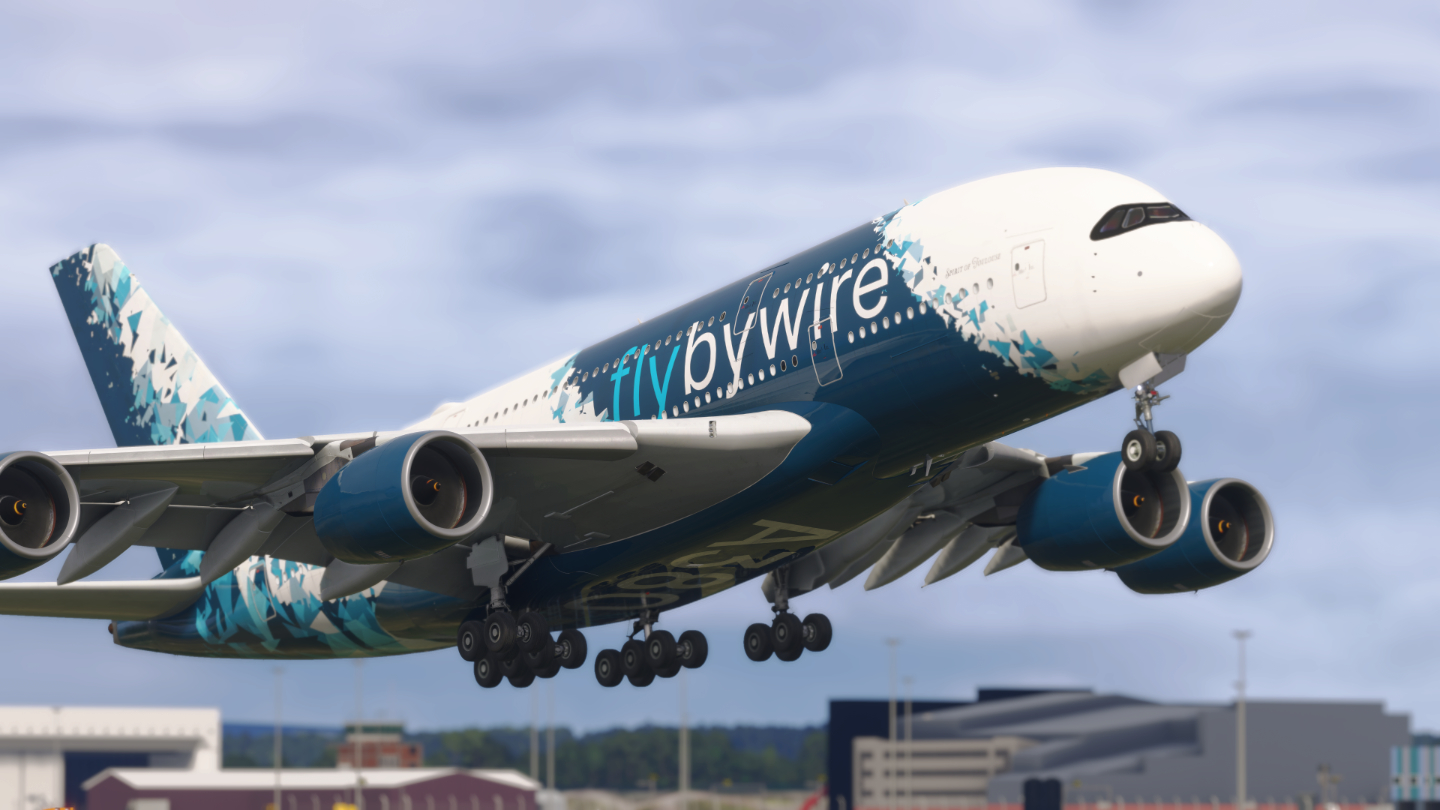
We’re introducing a structural change to how FlyByWire Simulations develops and releases its aircraft. Going forward, development will be split between Microsoft Flight Simulator 2020 (MSFS 2020) and Microsoft Flight Simulator 2024 (MSFS 2024), with each simulator receiving its own dedicated release stream.
Summary
- Separate releases for MSFS 2020 and MSFS 2024
- Independent development branches
- No guaranteed feature parity between simulators
- New versioning scheme introduced
Why We’re Making This Change
As MSFS 2020 and MSFS 2024 continue to diverge, maintaining a single unified codebase has become increasingly restrictive. Each simulator now presents different capabilities, constraints, and opportunities and a shared development approach limits our ability to fully leverage these differences.
By splitting development, this allows us to optimize better for each simulator, reduce technical compromises required for cross-compatibility, and deliver improvements faster and with greater focus. This change allows us to better align development with the strengths of each simulator.
What This Means for You
With this change, we would like to highlight several key points that affect our user base.
Moving forward, you will need to install the aircraft version that matches your simulator. If you have been using both MSFS2020 and MSFS2024 on the same system, you will need to update your aircraft with the simulator specific versions. If you have been pointing both simulators to the same aircraft installation, this will no longer work with the simulator specific versions. If you are only using one simulator or have separate installs, the next update will automatically replace your installed aircraft with its simulator specific version.
Updates will be delivered independently for each simulator. As both versions will have their own development cycles, both versions will have features pushed to them at different times. This will be true for both Development and Stable releases.
Feature parity between both simulators cannot always be guaranteed. Some features may be exclusive to MSFS2024 due to differences in the SDK of each simulator. Features may also arrive at different timelines as they would be developed on one codebase before consideration of porting to the other simulator. However, this is not a guarantee that all features will be ported across both simulators. As the code base diverges with time, some features might get increasingly difficult to share code changes without a significant rewrite.
Development will continue across both versions. This is a shift to enable higher-quality, simulator-specific development. Developing simulator-specific functionality also means our QA process can focus on dedicated testing without having to implement cross-simulator workarounds with a single shared codebase.
New Versioning Scheme
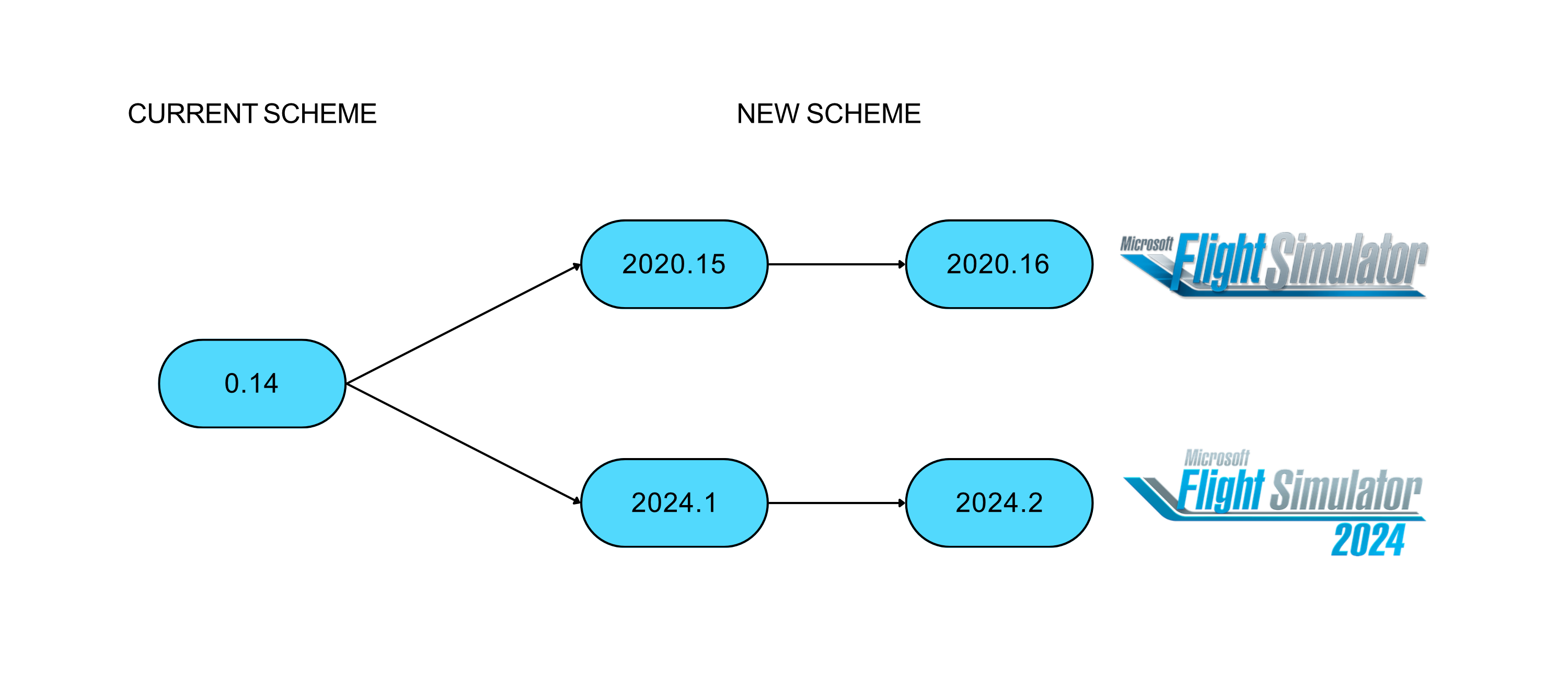
To reflect this split, version numbers will now be simulator-specific. This change makes simulator compatibility immediately clear and simplifies tracking updates across both simulators. MSFS2020 releases will be prefixed with 2020 and the next stable release will be numbered 2020.15. MSFS 2024 releases will be prefixed with 2024 and the next stable release will be numbered 2024.1. The reset of the minor version number marks the first 2024 specific release and distinguishes it from the 2020 version numbering as there will not be feature parity between both releases.
Development Direction
There are many features in MSFS2024 which our developers have been working on. These include a MSFS2024 specific flight model, a 2024 native aircraft package, and many more features in the MSFS2024 SDK. Expect to see continued development of both the A32NX and A380X as more systems and features are implemented in both aircraft.
MSFS2020 will continue to be supported. Development priorities may change depending on the simulator versions that our volunteer developers and contributors are working with as time passes. As a matured simulator, there might be more focus on stability and incremental improvements rather than major reworks for MSFS2020.
This approach allows us to push boundaries where possible, while maintaining a solid experience for existing users.
Updating Your Aircraft
To ensure you are downloading the correct version for your simulator, check you have the correct simulator selected in the top left corner of the FlyByWire installer. The icon indicates the simulator you are installing and will download the corresponding aircraft version for it. If you have been using only one simulator and the simulator version is correctly selected in the installer, there is no action needed and the new version of the aircraft will download like a normal update.
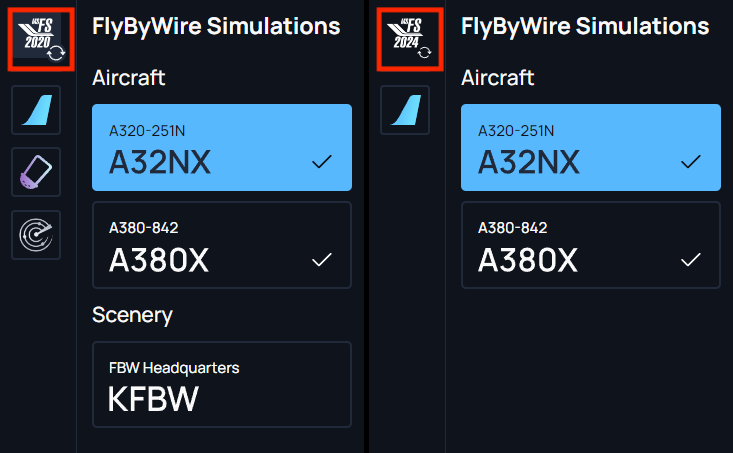
If you do not have the correct version installed, we recommend uninstalling the aircraft before switching the simulator version by clicking on the simulator icon at the top left. You can now install the correct aircraft version for your simulator.
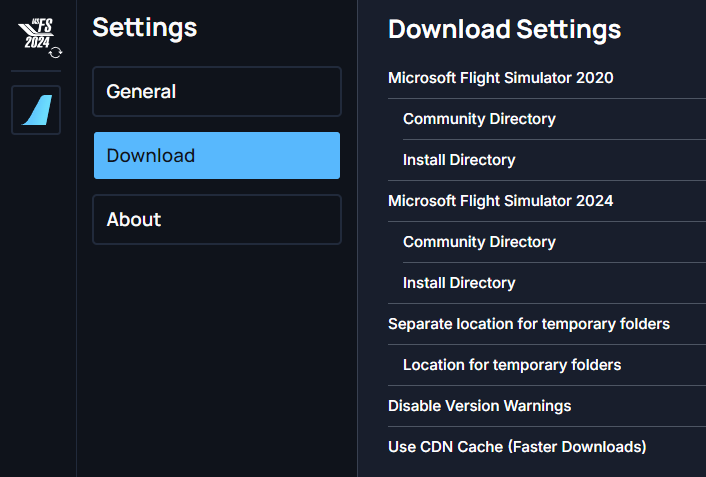
If you use both simulators on the same system, please ensure the installation paths for both aircraft are unique. You can check the paths by clicking on the settings cog at the bottom left corner and navigating to the “Download” settings page. Ensure the “Install Directory” for both MSFS2020 and MSFS2024 are unique as both simulators will require their own simulator-specific versions installed. Pointing both paths to the same directory will result in installation conflicts. For more information on the FlyByWire Installer, please refer to our installer documentation
Closing
Our development goals to develop a free and open-source community aiming for high fidelity aircraft in MSFS is unchanged. We always welcome more contributions from the community either as developers, quality assurance, community support, and marketing and media.
Thank you for your continued support.
FAQ
I am using Addon Linker and I am using both MSFS2020 and MSFS2024. What do I need to do?
You will need separate installs for the 2020 and 2024 versions of the FBW aircraft. You can no longer share a single install across both sims. We recommend having a separate folder for 2024 only aircraft and pointing the FBW installer to the respective paths. For more information on the FlyByWire Installer, please refer to our installer documentation
Does this mean the 2024 releases are now 2024 native aircraft?
No. The splitting of the branches is the first step to allow the release of the 2024 native aircraft. Now that there are sim specific release branches, sim specific features like 2024 native aircraft can be pushed for release. However, this does not promise any release timelines on the 2024 native aircraft.
Does this mean 2020 development is approaching an end?
No. Developers and contributors can still choose to develop on the 2020 branch. However, as the branches diverge, it may become harder for a feature to be ported to the other sim without a huge rewrite. Feature sets will depend on the SDK feature set of the specific sim. For example, LIDO charts are not available for MSFS2020 as it is only part of MSFS2024.
What new features and fixes can we expect to come for the MSFS2024 version?
There are a number of 2024 progress features and development that have been in the works and pending the branch splits. These include a new 2024 specific flight model, 2024 native aircraft with performance optimizations, and more.
I am using the stable release of the A32NX/A380X. Will there be a new stable release?
A stable release will come after the split. We considered doing another stable release for both sims before the split but there were a few critical 2024-specific updates that we wanted to include for the next stable release. Thus, a new stable release will only come after those updates have been pushed into the development branch. We still encourage all users to use the development branch as their first choice as it is the more reliable branch, with more up to date fixes and an improved feature set. The stable branch is a snapshot that is occasionally updated for users that have more complex hardware integrations and require an aircraft version that isn’t updated frequently.