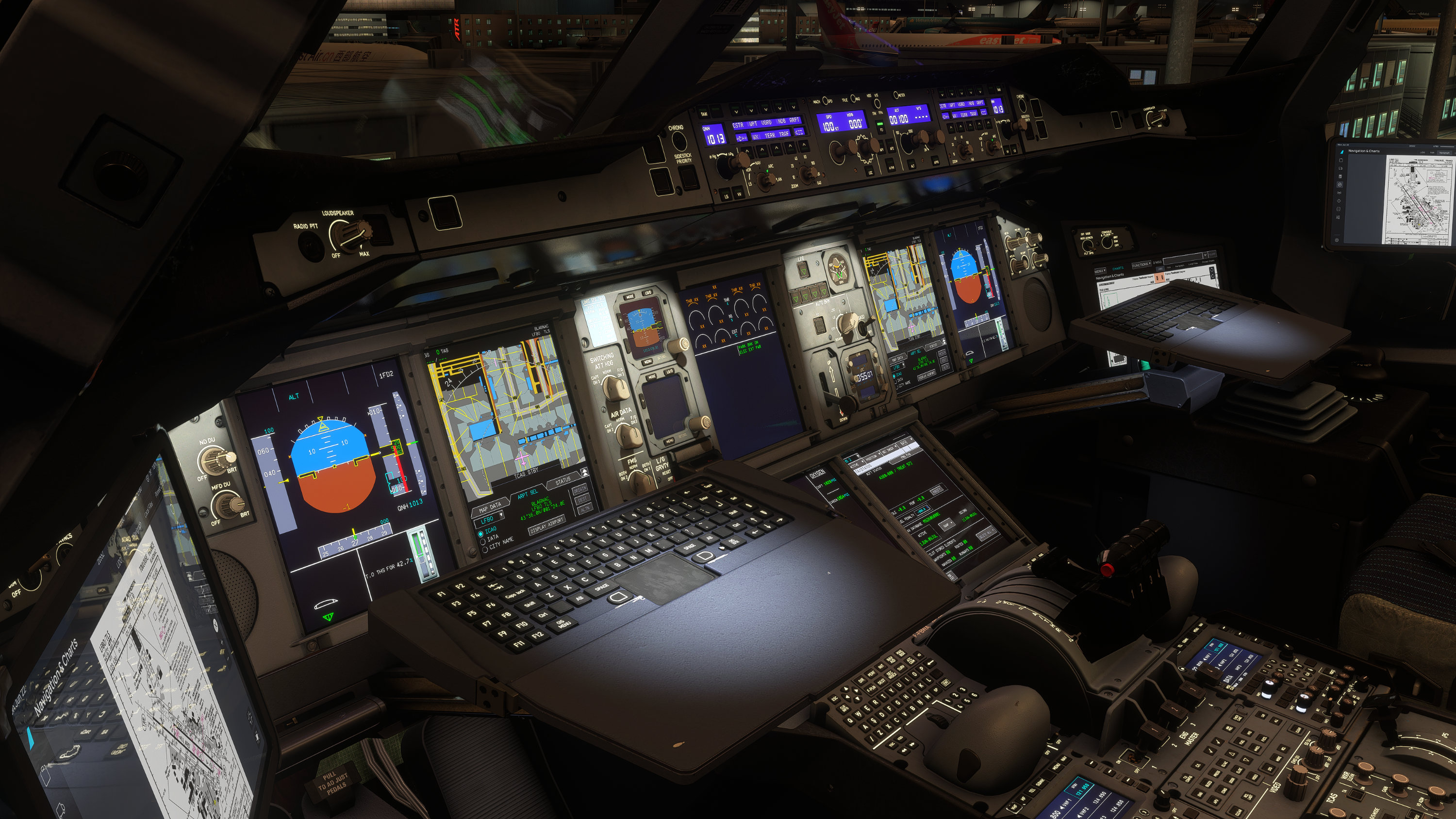
From day one, the FlyByWire project has been fueled by a single, massive dream: to bring world-class, high-fidelity airliners to the flight simulation community, 100% free. As a team driven entirely by volunteer passion and open-source collaboration, your incredible energy and support is what keeps our engines running. So before we share our exciting news, we would like to thank our volunteer developers, contributors, quality assurance, community support, and media teams for their endless hours of dedication. And thank you to our wonderful community for your outstanding support and believing in us. Without which would not allow us to reach this milestone that we are at today. We hope our announcement today can be a gift to everyone in the flight sim community.
A New Chapter for the A380X
Today, we are excited to announce a monumental leap forward. Microsoft Flight Simulator 2024 opened up a brand-new frontier of technology, and our team has been working hard to learn what new technologies MSFS2024 brings to the table and to push it to its absolute limits. Following our recent transition to simulator-specific development branches, we are thrilled to share the next major milestone for FlyByWire Simulations: the first native MSFS 2024 release of the A380X.
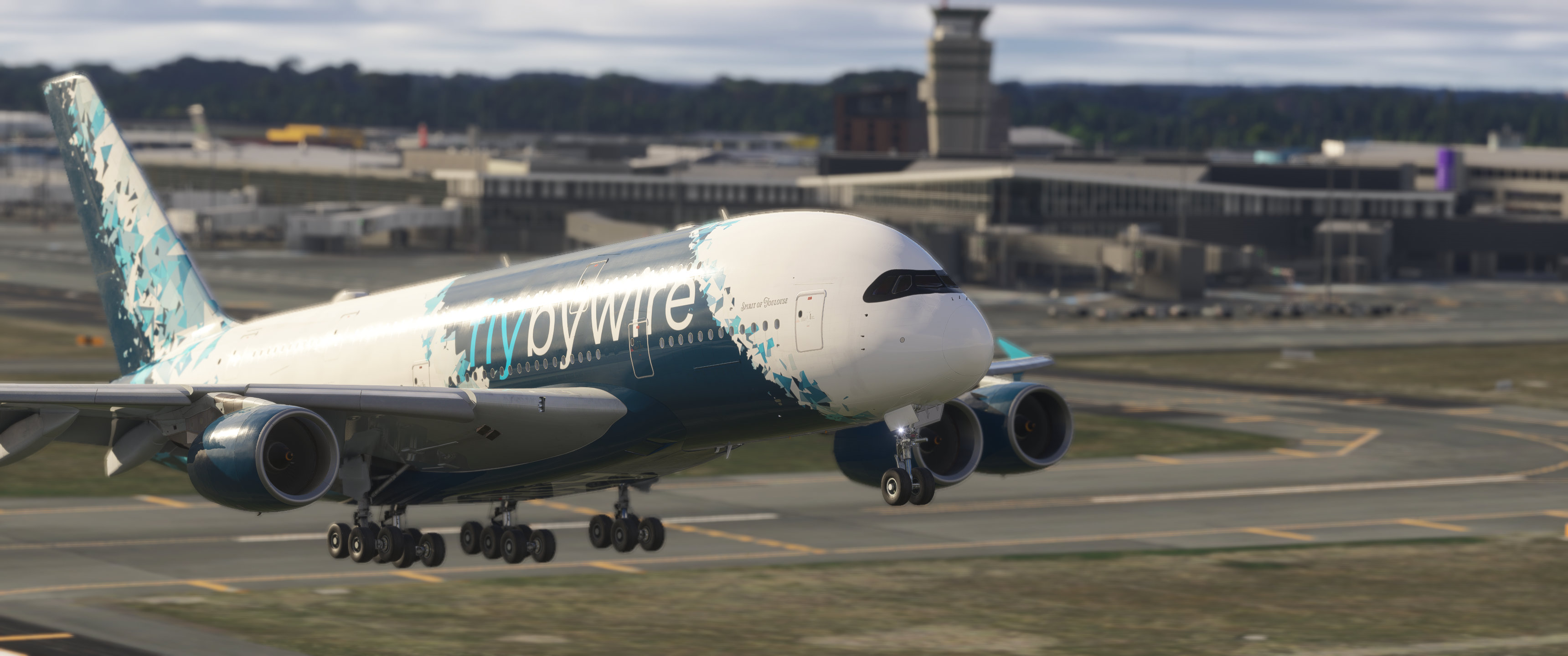
Unlocking the native capabilities of the Microsoft Flight Simulator 2024 platform allows us to take this promise a step further, maximizing both visual immersion and system performance without compromising on fidelity. Moreover, the open source nature of our developments fosters collaboration and co-learning of how to develop for this next-generation simulation platform.
Summary
- Native MSFS 2024 Architecture: Fully rebuilt using the MSFS 2024 SDK to unlock next-generation platform features.
- Modular Aircraft System: Introduction of a new component-based architecture, starting with a performance-friendly "No Cabin" variant.
- Significant Performance Gains: Massive reductions in VRAM usage and improved frame rates, optimized for lower-spec hardware.
- Roadmap for the 2024 native build
Unlocking the Power of the 2024 SDK: The Modular System
This release marks the beginning of an exciting new phase in our architecture. By leveraging the native MSFS 2024 SDK, the A380X now utilizes a modular aircraft system. This allows for a highly customizable approach to aircraft variants, enabling us to load or omit specific components based on user preference or hardware capability.
Our first practical use case for this modular architecture is the introduction of a dedicated No Cabin variant. For users running resource-limited setups, this variant entirely removes the heavy interior cabin geometry to save performance. To ensure external visual fidelity remains intact, we have integrated parallax window textures. This means that when viewing the aircraft from the outside, you will still see a convincing, realistic interior depth through the windows, entirely eliminating the "hollow shell" look of traditional cabinless models. The detail in these parallax windows were taken a step further to reflect the cabin layout of the aircraft. Peek through a window of the first class cabin and see how the luxurious first class cabin compares to the economy class on the lower deck.
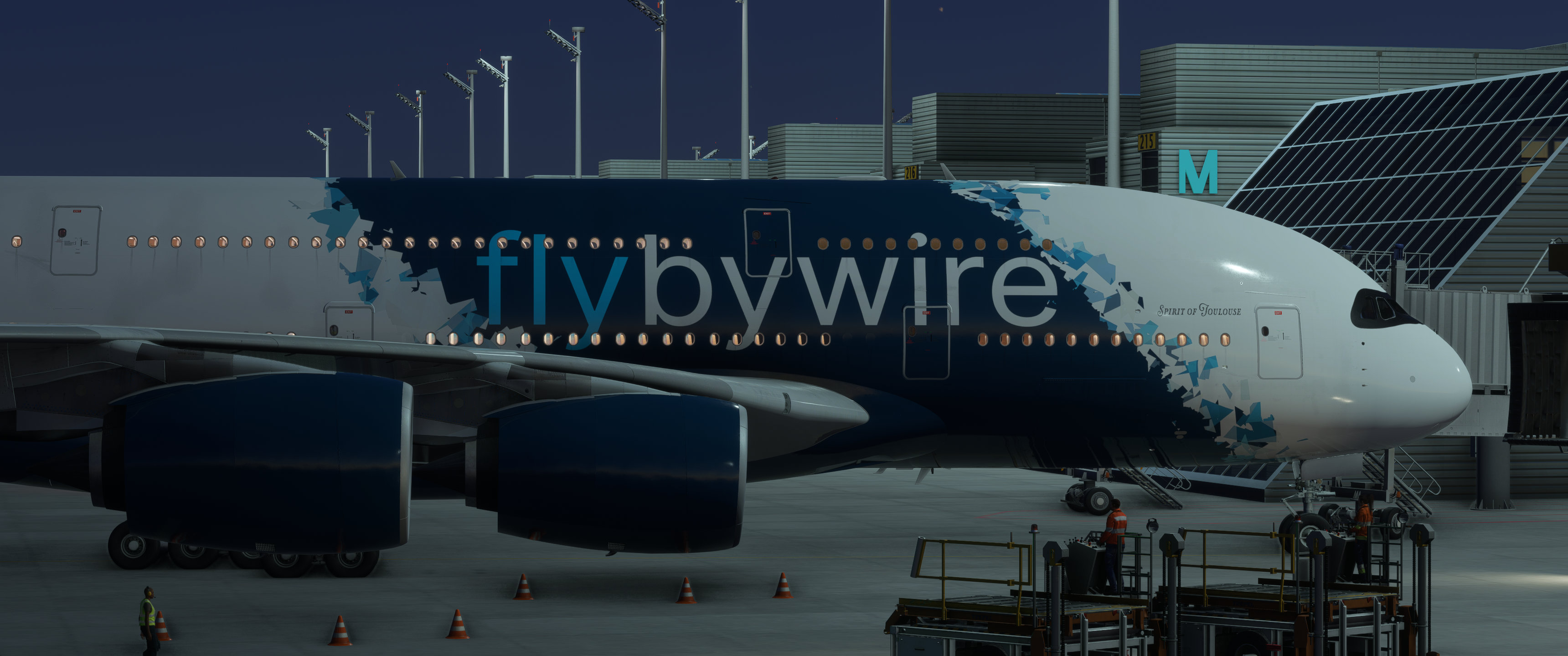
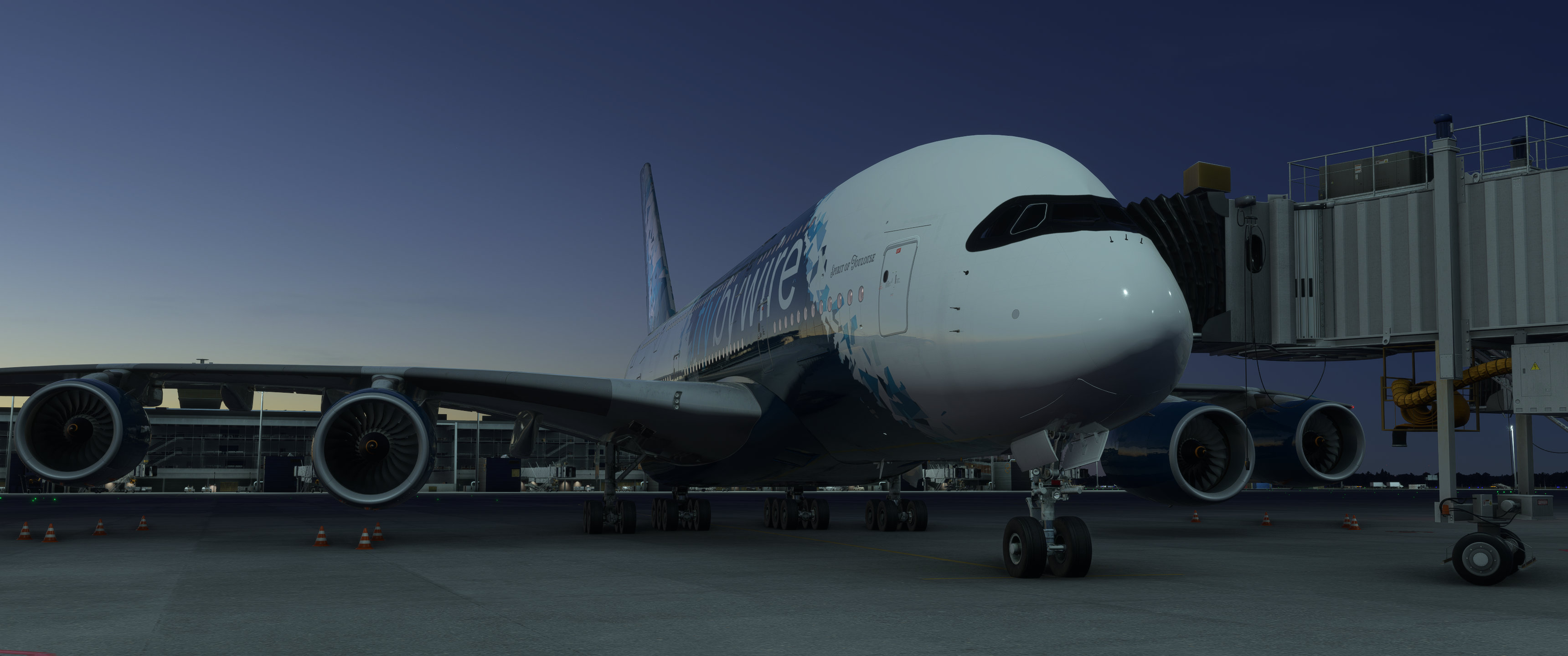
You can select the "No Cabin" variant on the aircraft selection menu as seen in the screenshot below. You will see options for "No Cabin" and "Standard" as current available variants and the same liveries can be used for both variants of the A380X.
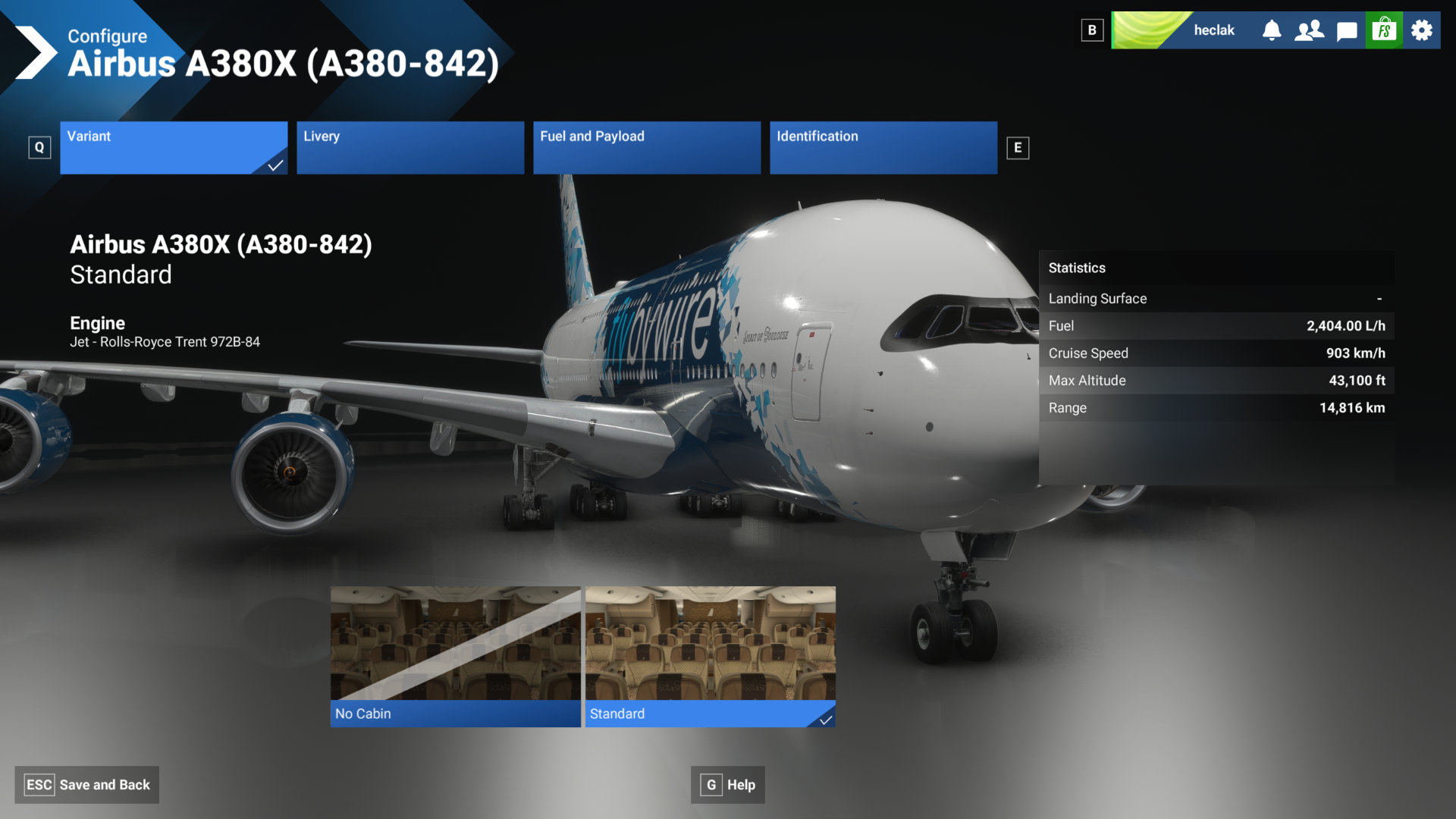
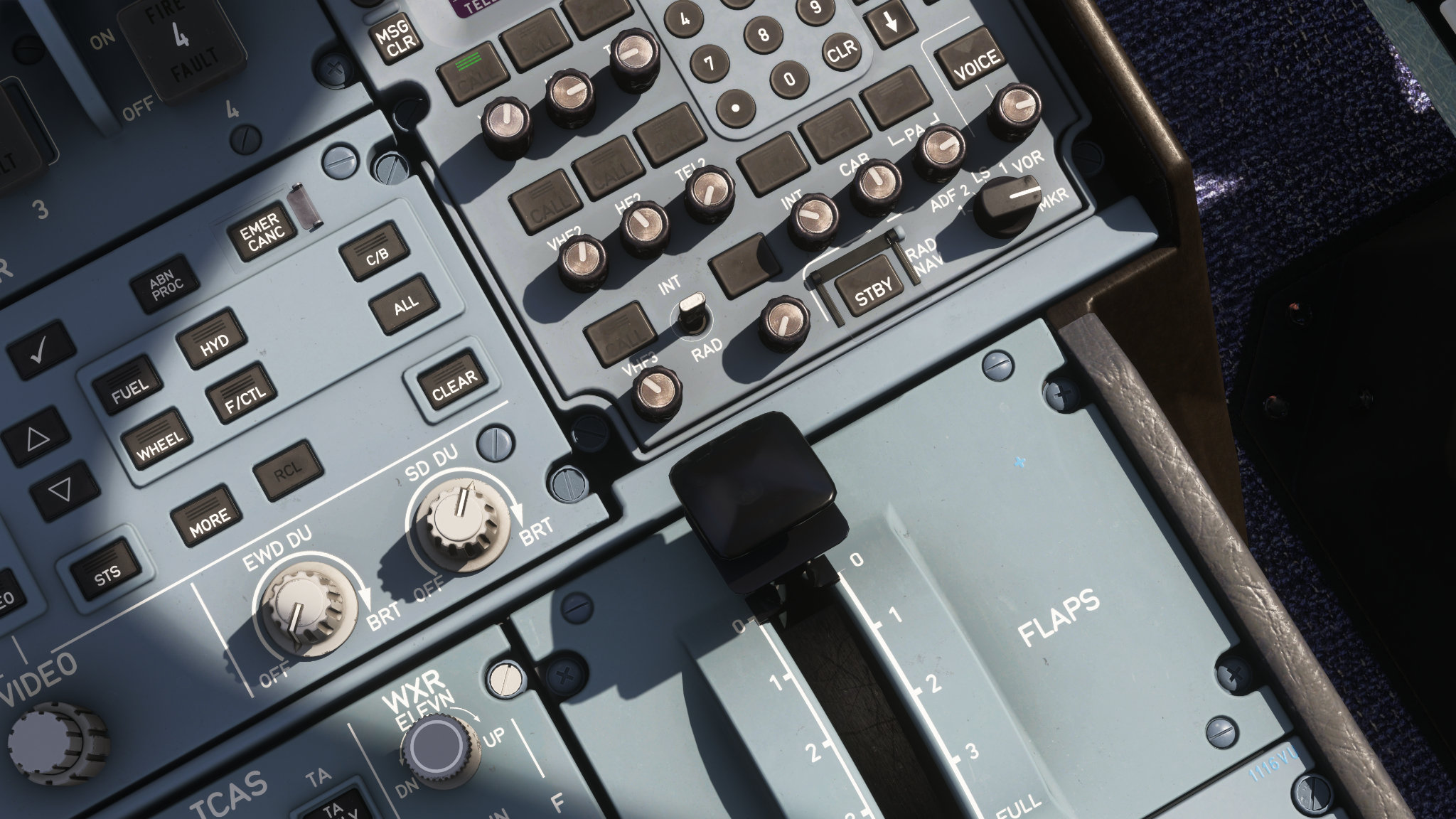
The "No Cabin" variant is just the first step. This modular framework lays the foundation for future customizations and variants that we have planned to introduce down the line. The next photo should give you a clear idea of which variant we’re shipping next!
Performance Optimization: VRAM and Framerate Gains
One of our primary goals with this native port was to ensure that the A380X runs smoothly across a broader range of hardware configurations. We have heard your voices of wanting more performance out of this massive beast of an aircraft and we have worked hard over the past year to try and integrate as much as we can in this first phase of the MSFS2024 native release. Thanks to the optimizations available in MSFS2024 and a highly optimized implementation of Level of Detail (LOD) models, users will see substantial performance improvements.
We have used a combination of techniques to optimise the aircraft for lower end machines. More mipmaps are used now to benefit from the sim’s texture management system so no texture resolution mods are required anymore. The appropriate texture resolution will be loaded based on your sim’s texture resolution setting for improved VRAM management. Great care was also taken to ensure the aircraft still looks great so you get the same visual fidelity as before.
Mesh improvements were also used to reduce CPU and GPU usage by combining meshes to reduce draw calls and node counts. This optimisation process is still on-going as we further modularise our aircraft model.
Addressing GPU Out of Memory Issues
VRAM exhaustion is a common occurance in MSFS2024 due to the increased VRAM requirements of the sim. As the A380 is an aircraft that is physically much larger than any other aircraft, this results in requiring much more texture space to wrap around the model with a similar texel density. Consider if you had to gift wrap an A380, you would need more rolls of wrapping paper compared to wrapping an A320. This is the same as texture space where larger aircraft simply need larger amount of textures, which leads to more memory consumed. This can be a big problem for GPUs with limited VRAM such as 8GB cards. As such, a lot of our development was initially done on a AMD Ryzen 5 5600X CPU with a RTX 3070 8GB GPU to ensure the aircraft performs decently on a limited VRAM situation, using reasonable sim settings to balance between visual fidelty and simulator performance.
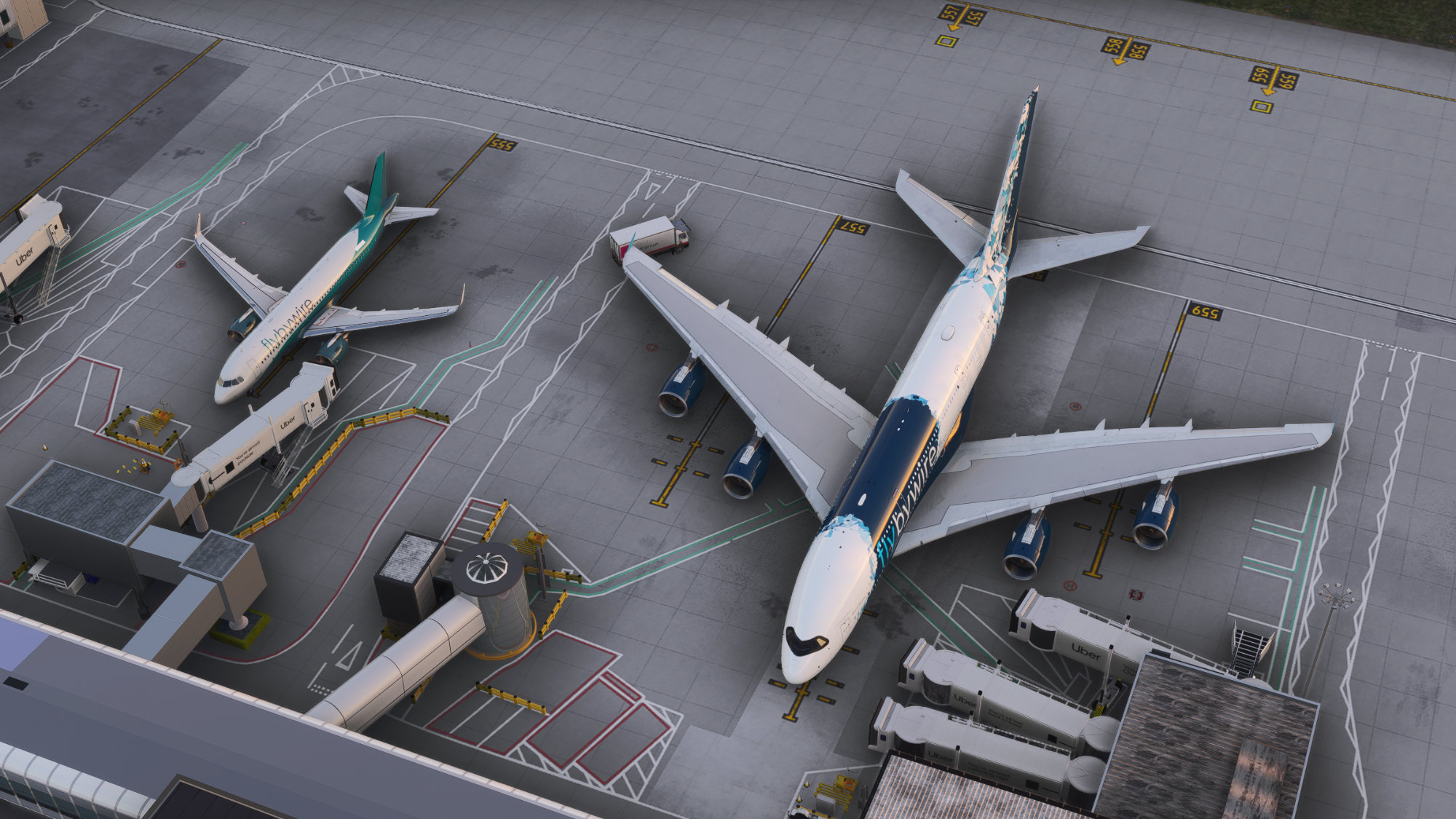
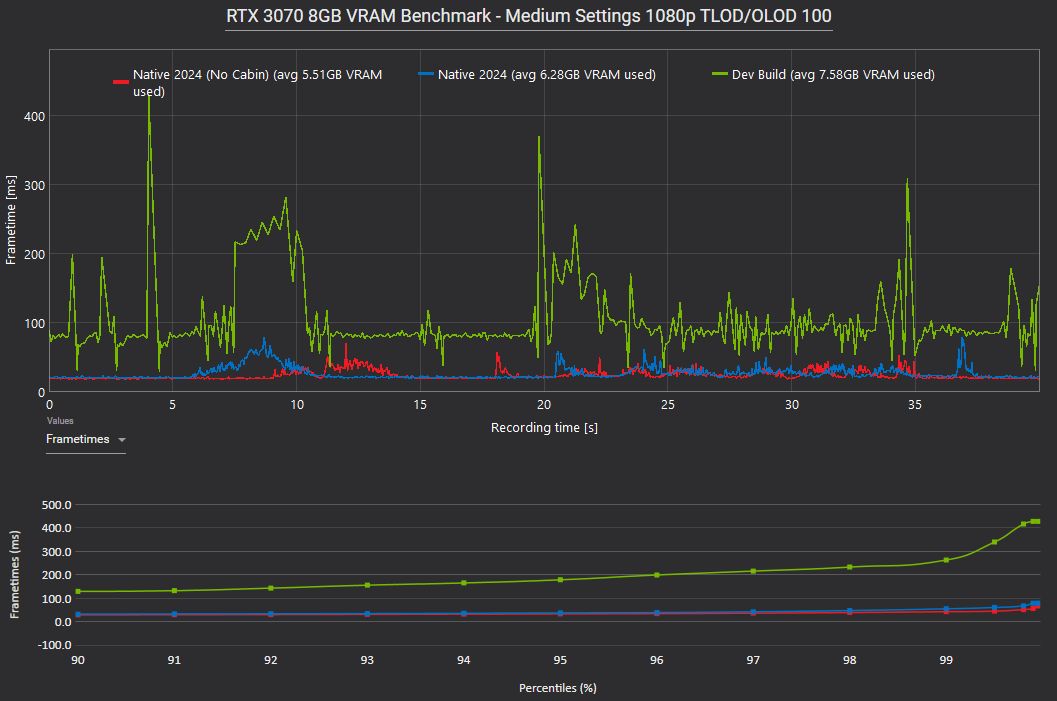
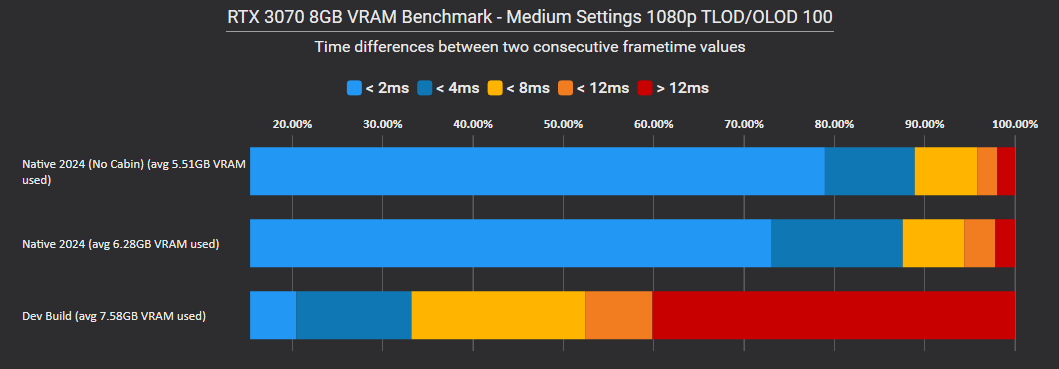
In our benchmarks of the A380X, we recorded tests of the A380X with a medium/high range of settings at an airport scenery with a heavier demand on resources. The freeware Gatwick airport (EGKK) scenery by mkvy was used in this situation to simulate a realistic heavy load on the simulator. We don't recommend using these settings on a regular basis but we wanted to prove there was headroom available in difficult situations. Terrain LOD and Object LOD was set to 100, dynamic settings was disabled, raytraced shadows was enabled, TAA was used for anti-aliasing, and no frame gen was used in our benchmarking.
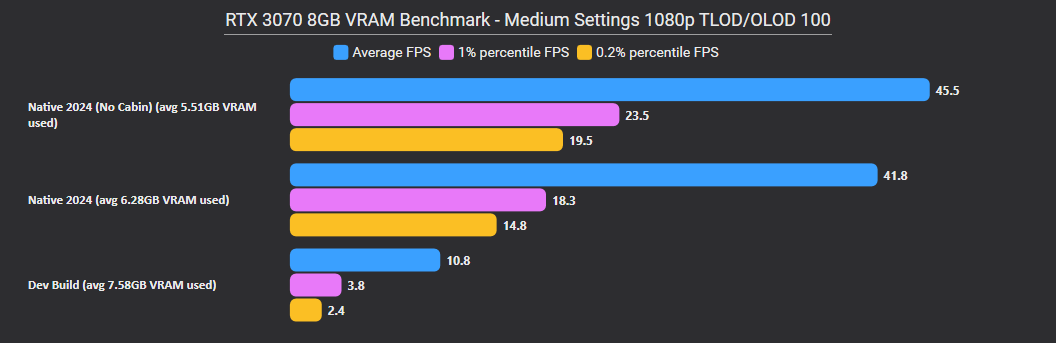
As seen in the benchmarks shown below, both the native 2024 standard and no cabin variants have a reduced VRAM footprint putting the simulator out of the VRAM exhaustion that the dev build would have been in. The dev build was maxing out the available VRAM and resulted in an unusable average framerate of 10fps, with a wildly unstable frame time. Both native 2024 variants resulted in a 400% increase in fps due to the 1-2GB VRAM usage reduction in this new build. We strongly encourage users with 8GB and even 12GB VRAM to consider using medium texture resolutions to maximise the VRAM gains from MSFS2024. Adding on the use of the No Cabin variant can further reduce the VRAM required, leaving more overhead for scenery before your GPU runs out of memory.
General Framerate Gains
Our internal testing shows an impressive reduction in VRAM utilization alongside noticeable frame rate increases, bringing highly welcome relief to lower-spec systems. Lower spec systems using lower settings in the sim have been reported to see up to 1 - 2GB of VRAM usage reduction and some users even reporting up to 50% increase in FPS on their usual settings. Higher end systems running higher sim settings might not see as large a reduction statistically but have all reported a significantly smoother experience when using the aircraft even in heavy sceneries.
Since systems and gains can vary significantly, we have averaged out the performance gains reported by our testers using texture settings instead. The testers were asked to keep to their usual sim settings so the results would reflect real world gains from using the native 2024 build. The following charts show the average framerate improvements and VRAM reduction
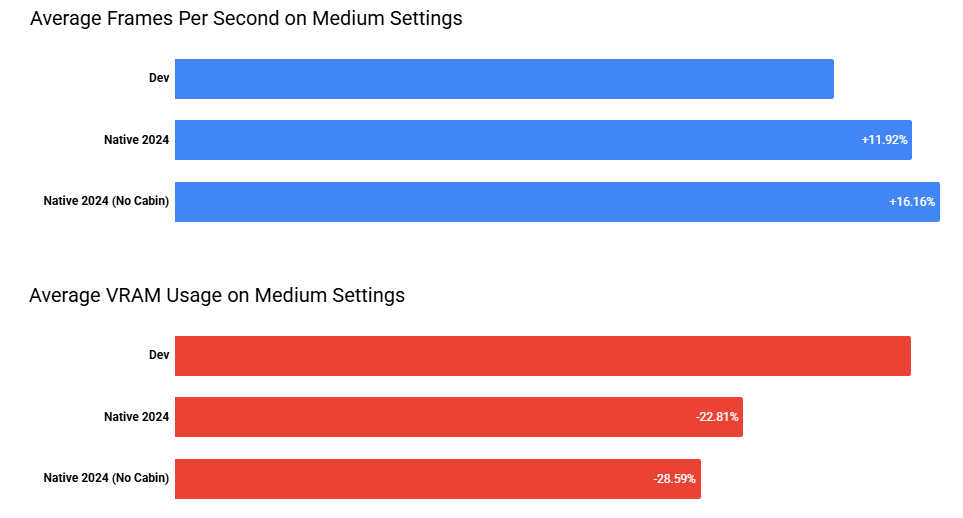
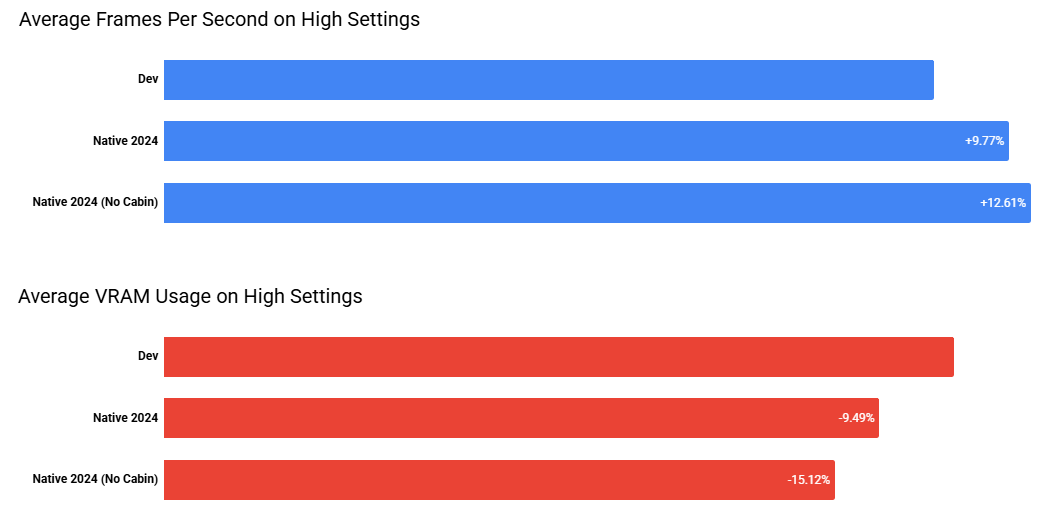
We are proud to report that the new update delivers a better experience for everyone. Notably, users who previously suffered from low framerates will notice a markedly improved A380X experience.
Please note that our current LOD implementation is an initial foundation. Over the coming updates, we will continue to refine the LOD system to further enhance draw distances, optimize asset transitions, squeeze out even more performance, and to reduce VRAM usage further. The 2024 LOD system is something that our developers are continuously learning and have been experimenting with over the past year, creating new artwork while diving deeper into the SDK.
Improved Cockpit and External Lighting
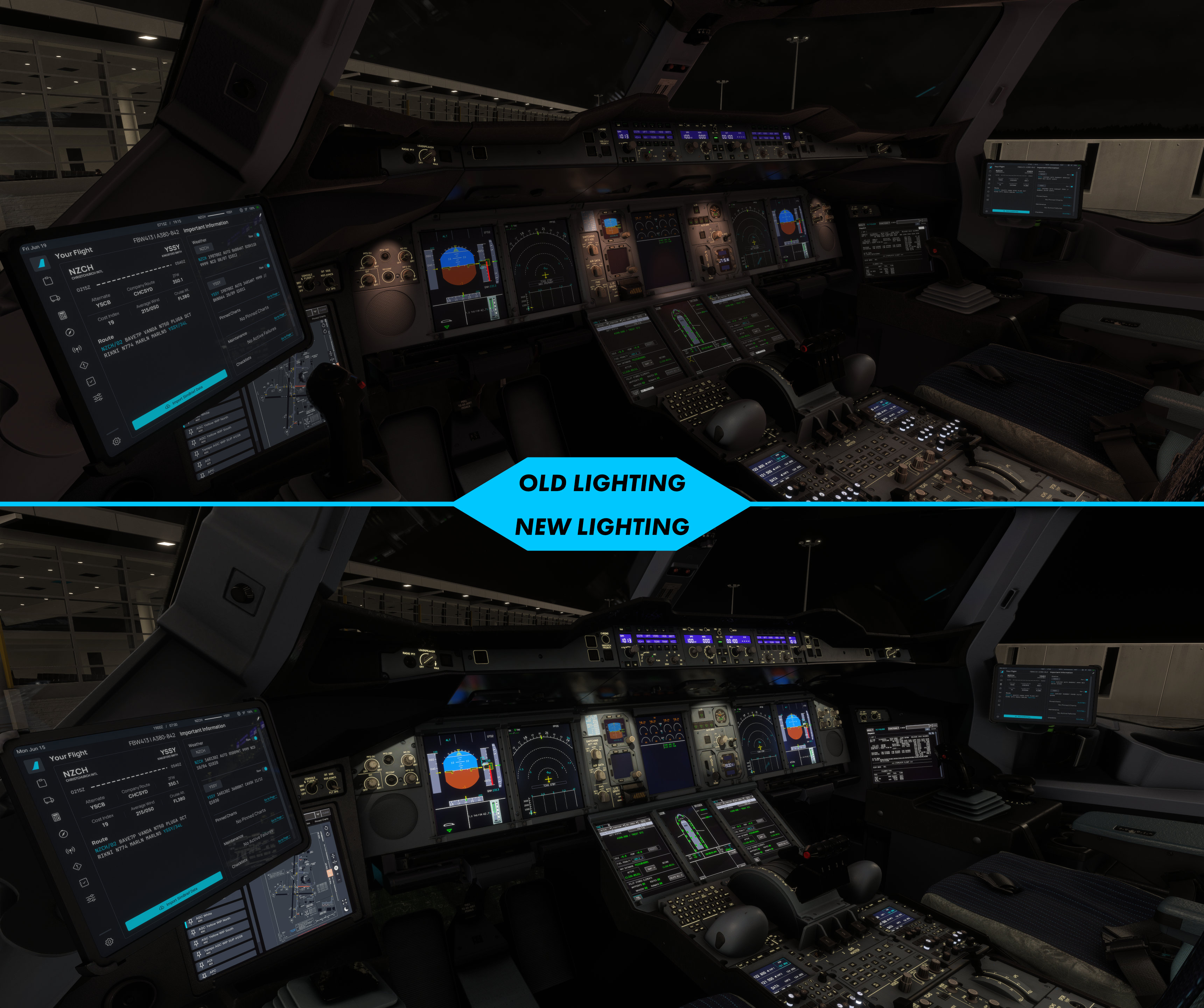
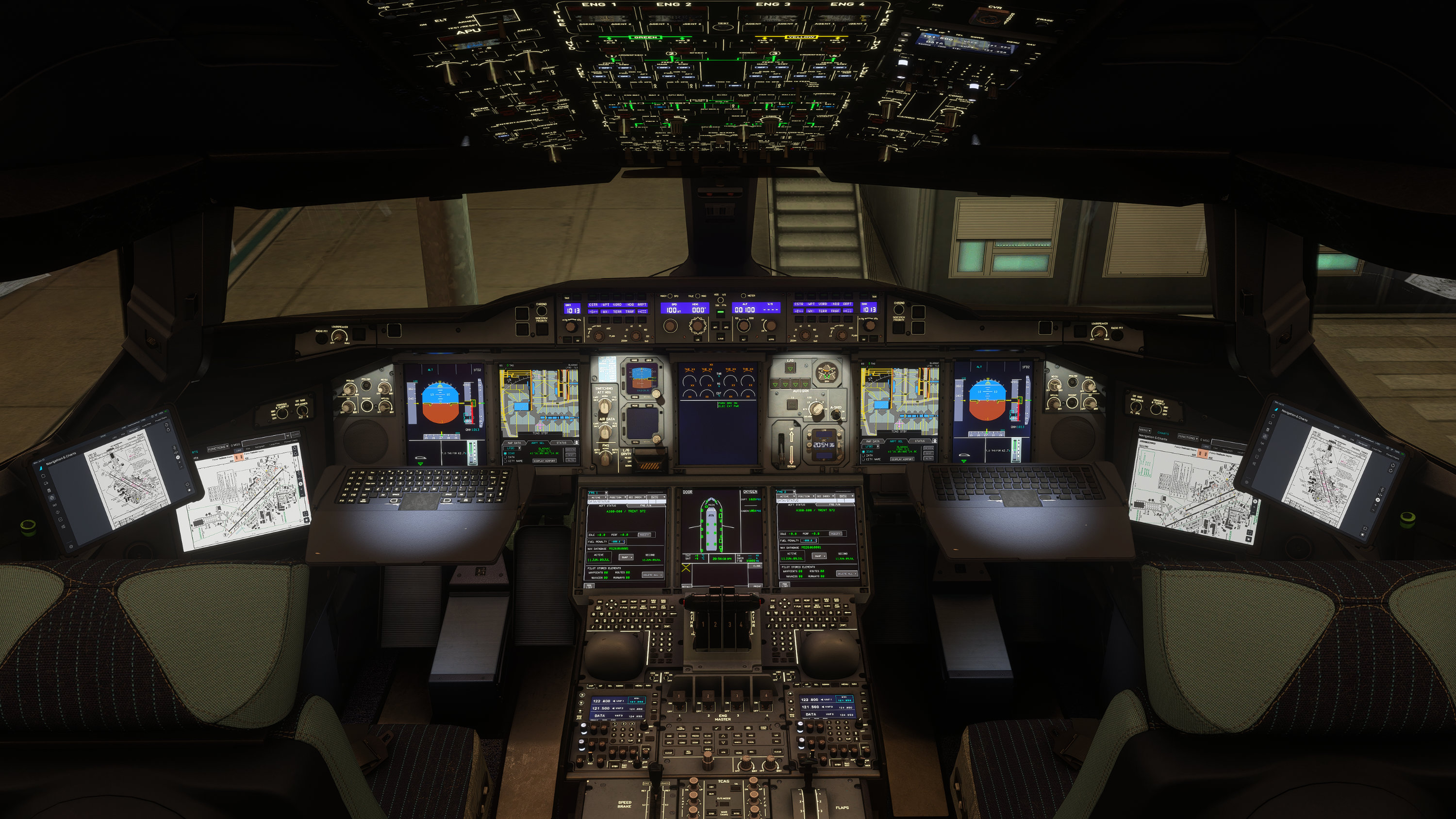
As the cockpit is the place you spend the most time in a flight, we endeavour to make it as accurate and immersive as possible. Our cockpit was built off detailed measurements and studying thousands of photo references and is something we are really proud of. With MSFS2024, the lighting system had to be updated to match the new lumen based lighting environment. So we took the time to improve the lighting and integrate some lighting related fixes. Along with a rework of the cockpit lighting featuring a new main instrument panel (MIP) lighting, new lights such as reading lights were added to improve the cockpit lighting experience. We have been waiting for a long time to ship this update to the cockpit lighting. We shared this new MIP lighting a year or so ago but was held back by our common codebase between MSFS2020 and MSFS2024 and we are so excited to finally get it into your hands. For MSFS2020 users, we will also be backporting this updated MIP lights in the MSFS2020 version as promised.
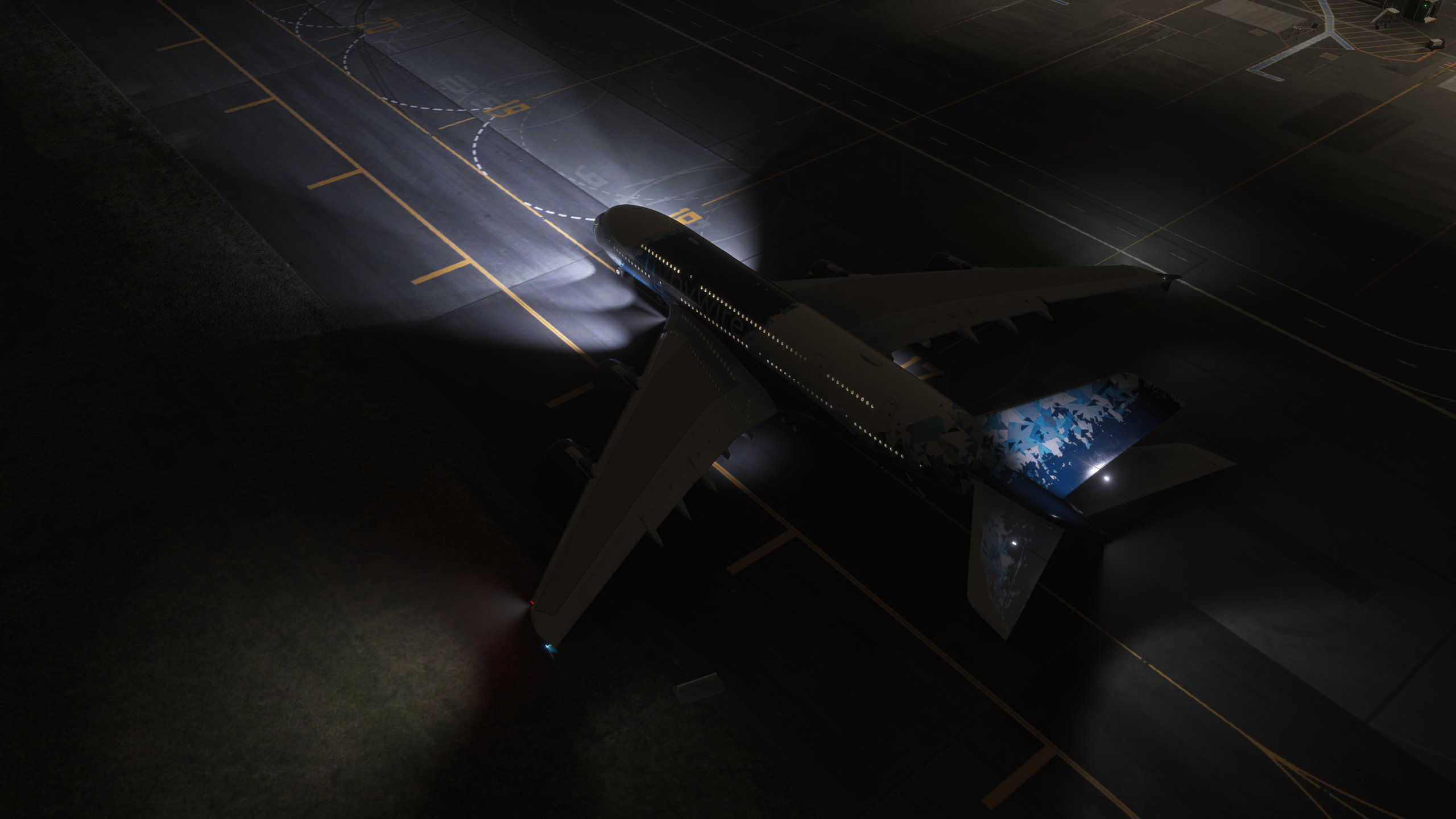
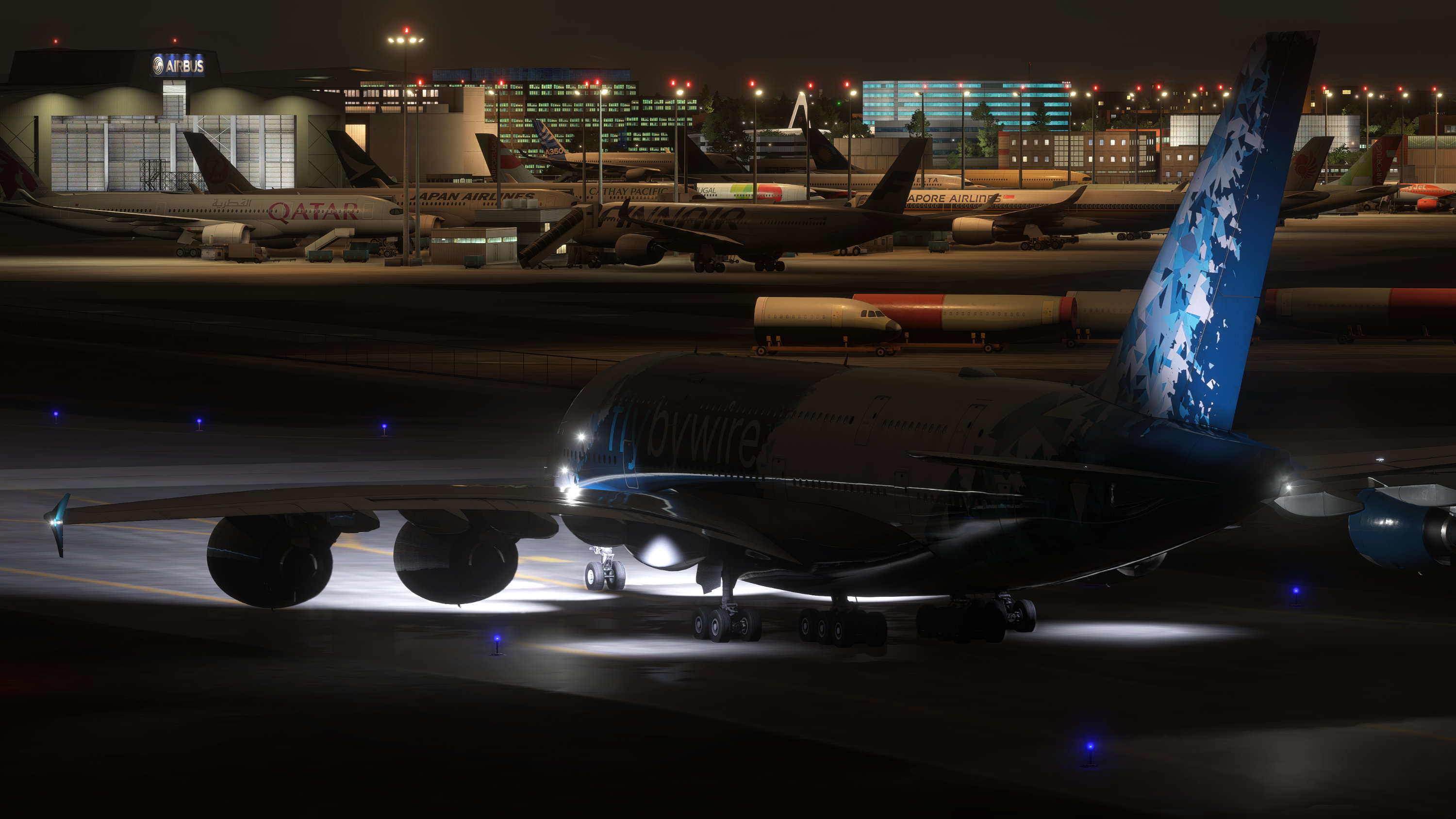
The exterior lighting was also given a full workover, with a more accurate simulation of the A380 exterior lighting system. Taxi cam lights have been added to complete the full complement of the A380 exterior lights with a rework of brightness and angles while comparing to references. The strobe and beacon light timings and patterns were also made more accurate by studying more reference materials.
Model Improvements and QOL upgrades
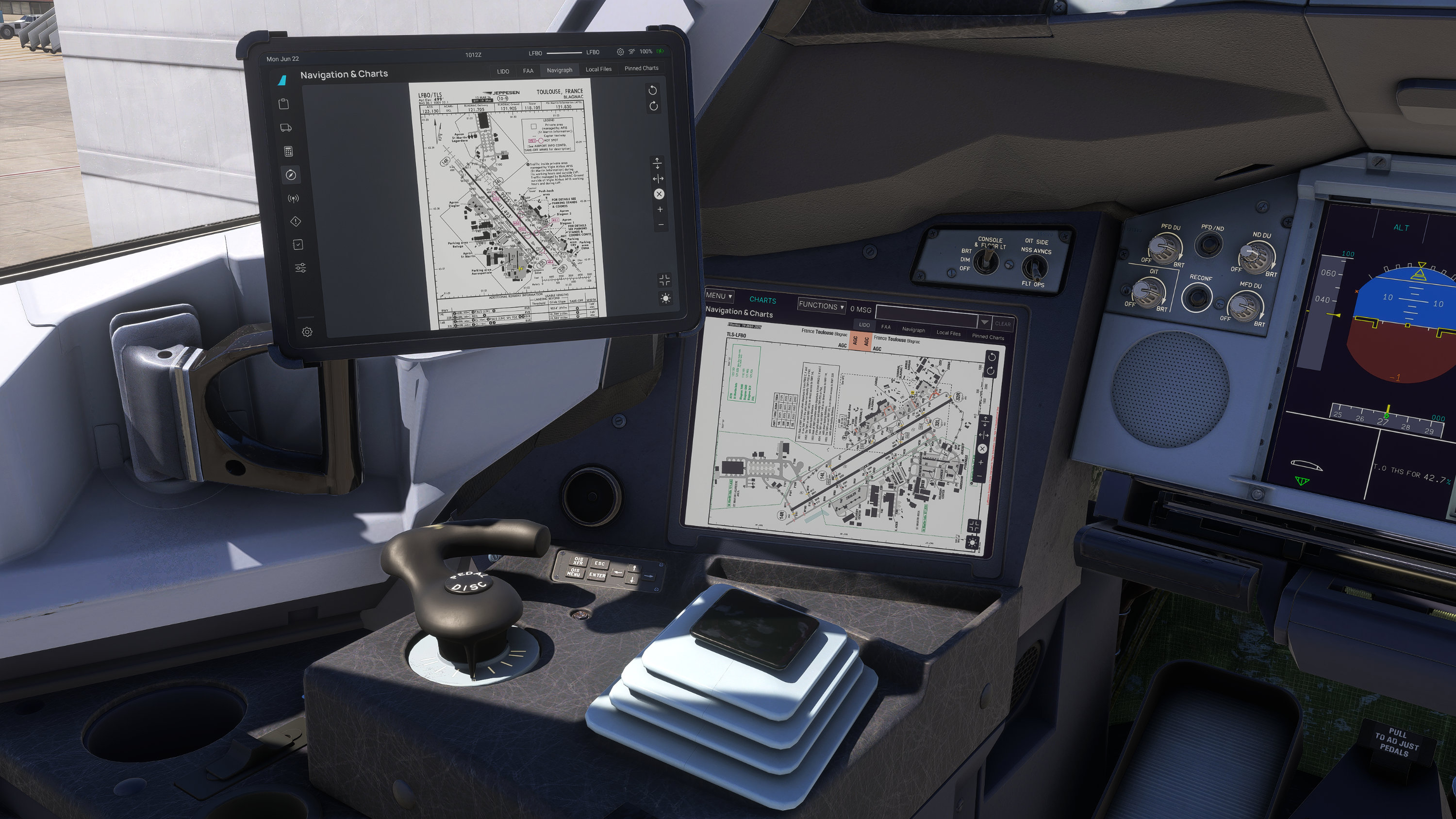
While we had the A380X in the workshop, we took the chance to make some improvements to the aircraft. The windshield and windshield wipers now use the 2024 rain and wiper effects. Window plugs were added to the appropriate windows to match the modelled interior. We know many of you struggled to get a good view of the OIT with the sidestick being in the way. So we added the ability to hide the sidestick, giving you an unobstructed view of the OIT for charts and the various OIT functions.
What is happening to 4K and 8K Variants
During our process of developing the native 2024 build, we have been researching and developing new techniques to create high fidelity visuals without resorting to large texture sheets. Such is the use of detail maps and the advanced material shaders in MSFS2024. In our quest to improve the performance of the aircraft, we have also found it conflicting to optimise one version but not be able to apply the same optimization to the other due to the choice of optimization techniques.
Starting with this native 2024 release, we will no longer be shipping separate 4K and 8K variants. Our focus is to use the techniques that we have learnt to develop one highly optimized and visually detailed version of the A380. We feel this approach would best benefit the entire community and we will be sharing more details about our development as these other model upgrades progress in the pipeline.
Recommended Settings
Since the release of MSFS2024, we have identified available VRAM on a user’s GPU as a common major limiting factor through our own testing and community reports. To minimise the impact of being VRAM limited, we have developed some recommended settings that aren't specific to FBW aircraft, but also developed to be suitable for use with other addons in scenery heavy scenarios. These may be useful to use as a starting point to ensure you have a seamless experience when switching between addons and scenery.
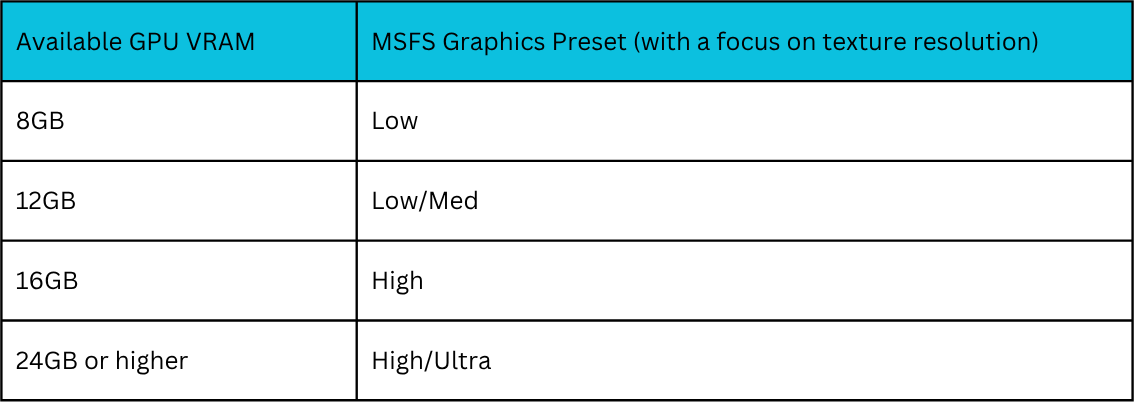
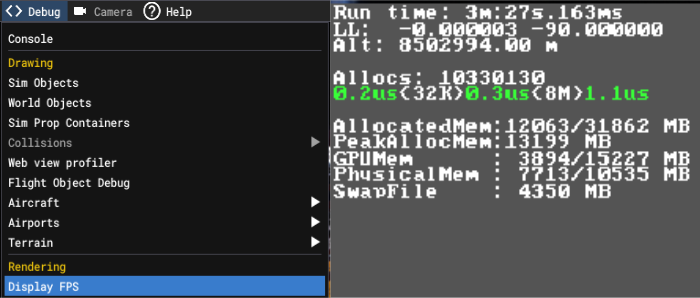
Using those presets as a starting point, you should have a good experience with the sim and you can tweak some settings higher or lower depending on your current experience. Some settings that have a noticeable negative impact on VRAM usage include increasing Texture Resolution, DLSS, Frame Generation, Raytraced Shadows. We strongly recommend using the MSFS built-in FPS display instead of using task manager or other third party tools. This is because the MSFS FPS display is the only tool that is able to accurately report how much resources MSFS is asking from the operating system and how much is actually being allocated to the sim. You can enable this display by turning on Developer Mode in Settings - Advanced Options, followed by clicking on Display FPS in the debug menu at the toolbar that appears at the top of your screen.
A380X Native 2024 Liveries
As the MSFS2024 native A380X uses a different texture format and aircraft structure, all currently available liveries are not compatible with the aircraft until the livery has been repackaged for 2024. Some minor touchups in the liveries might be required where the window plugs were added to the fuselage. There are currently no other changes to the UV layout of the textures, only a conversion to KTX2 and a repackaging of the livery is required to make a livery compatible. During the rebuilding of the A380X for MSFS2024, we cleaned up the names of the texture files as there were some inconsistencies in the filenames. We will be providing livery makers the full list of file name changes to assist in their repackaging process. We will also provide a sample livery package so liveries can be packaged to display a single aircraft entry in the MSFS2024 aircraft selection menu and for liveries to show up in both variants of the A380X. You can download the A380X Native 2024 Livery Creator Package and A380X PSD Paintkit here.
What is coming next?
As always, we want to maintain transparent communication with the community regarding what is included in this initial release. Because the scope of this native port was expanding rapidly, we felt it was important to get these massive performance and structural improvements into your hands now, rather than holding them back to wait for every single feature to be completed. Your feedback on this build will be vital in helping us stabilize and iterate.
With that in mind, please take note of the following points regarding our development roadmap:
3D Remodeling Projects & Visual Art
Our art team is currently engaged in an extensive, long-term remodeling project aimed at taking the visual fidelity of the FlyByWire A380X to an entirely new level. Because this level of detail takes time, some components such as the taxi cam light housings on the wings will not ship with their finalized 3D artwork in this version.
Where a new system function is fully operational but its final 3D art asset is still being worked on, we have chosen to ship the functionality ahead of the artwork rather than holding back the feature entirely. You will see these visual elements continuously improve in subsequent updates as our modeling project progresses.
Modular Cabin and Layouts
The A380 cabin is still in the process of being fully converted to the MSFS2024 modular system. This means there is room for performance gains to be achieved in the upcoming updates as the modular cabin is finished. We have some exciting implementations that we are experimenting with to push the boundaries of the modular cabin both visually and in performance optimizations.
When will this be released?
The FlyByWire A380X native MSFS2024 version is available right now through the FlyByWire installer and website. This native version is currently exclusive to the development build, which we strongly recommend for all users since it receives active bug fixes and stability improvements. The stable release is intended only for those who require an unchanging build due to complex hardware integrations and will only receive the the native MSFS2024 version some time in the future.
How can you help?
The FlyByWire development process is an open, volunteer community driven ecosystem. Our progress is solely driven by volunteer contributions and community focused development. If there is a feature that you would like to help add to any of the aircraft, anyone can jump in and contribute to the development of that feature. We have channels on our discord for the community to discuss and gain guidance on how to develop for MSFS. Everyone in the team started our journey in a similar fashion, taking a small curiosity in fixing something small and diving deeper into the rabbit hole after.
If development isn’t something you’re after, we are always looking for more volunteers to join our quality assurance, community support, and the media team. You can ask for more information on our discord and one of our team members will be happy to provide you with everything you need to know.
Closing
The native MSFS 2024 A380X represents an immense amount of work from our global team of volunteers and it is a milestone that we are very proud of achieving. Along with the sim-specific development split from our last NOTAM, we are now able to fully utilise MSFS2024 specific features in our development cycles. By delivering a modular, highly optimized aircraft architecture, we are thrilled to offer an aircraft that performs beautifully while opening the door for future innovation.
We want to thank you for your incredible support, patience, and feedback. We look forward to seeing the A380X take to the skies in MSFS 2024!
FAQ
When will feature XYZ come?
As the development of the FlyByWire projects is community-driven, we do not enforce delivery timelines on our volunteer developers. We value high-quality, polished releases over frequent and quickly-released ones, which means some features might take time to land in a publicly-available build. Rest assured that our developers and contributors are working hard on making every FlyByWire project as bug-free and feature-complete as possible, but that we are not able to provide release dates or estimates for a certain feature/fix. We encourage community contributions to develop new features too so everyone in the community can benefit from the community work. If there is a feature that you would like to see added to the project more quickly, don’t be afraid to ask for help to learn how to start developing it in our discord.
What about a native 2024 version of the A32NX?
The native 2024 version of the A32NX is in the works but no release schedule is available as explained in the previous answer. More information will be released as the native 2024 version of the A32NX approaches.
Will there be walkaround mode interactions and external panels?
This initial release focuses squarely on the core native port and its performance optimizations. Consequently, walkaround mode external panels are not yet included. Features using the MSFS2024 walkaround mode are still being planned and evaluated, and they will be rolled out in a subsequent phase once this core release has completely stabilized.
I am still getting performance issues with the A380X after updating my aircraft. What can I do?
The A380 is an extremely large aircraft which means it uses more texture space to cover the aircraft for the same texture detail when compared to other addons. With our current development of the native 2024 modularisation, we have taken steps to optimise the VRAM usage for lower spec systems first and are progressively optimising the entire aircraft further. If you are facing performance issues, we strongly recommend using the “no cabin” variant of the A380X to minimise the resources needed to run the aircraft and to try using the recommendations in the recommended settings section to tune your simulator settings for a better experience.
What other features are currently in development?
As our development happens openly on Github, you can browse the Github repository to see what features are currently being worked on by the community. It can be useful to contribute references to a relevant development, if you have any. Discussion for development primarily happens on discord but can also take place on Github. Some useful starting points are to browse the pull requests for in-development progress and the issue tracker for reported bugs.
How do I report a bug or submit a feature request?
All bugs and feature requests are reported on the issue tracker on Github so any contributor can see it and choose to start working on it. You can see the list of existing issues on our issue tracker and submit bug reports or feature request by opening a new issue.